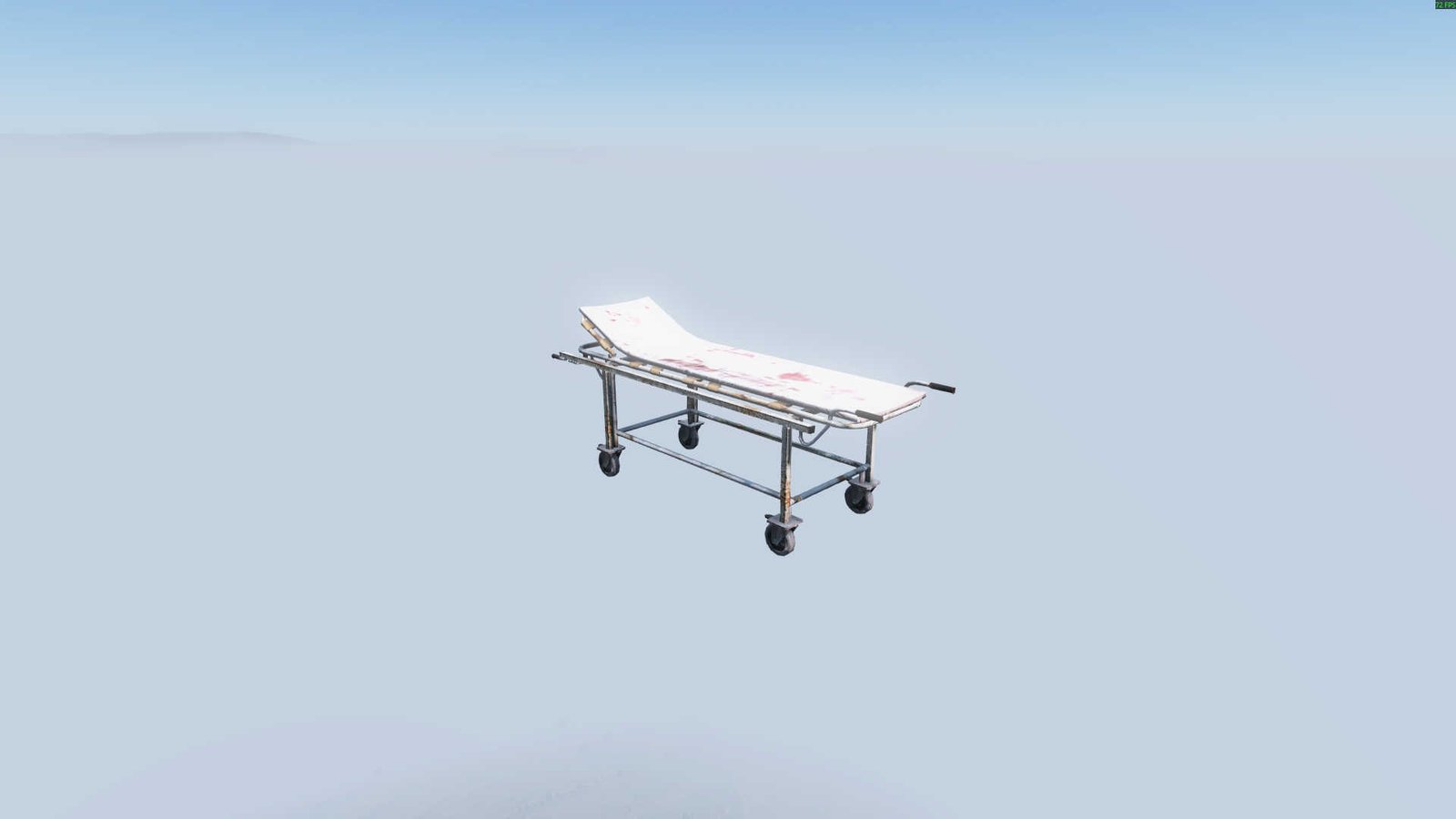
Overview
hospital_transport_bed.p3d
Preview courtesy of Sam's Object Finder
LODs
7
Vertices
6,606
Faces
5,987
Textures
1
Materials
6
Size (X × Y × Z)
0.723 × 0.952 × 2.256 m

ODOL v56 · 171,084 bytes · Skeleton bones: 0 · Sections: 0

ODOL Flags 36

Size

size_x
0.723 m
size_y
0.952 m
size_z
2.256 m

Flags

autocenter
0
lockautocenter
0
canocclude
0
canbeoccluded
1
disablecover
1
forcenotalpha
0
prefershadowvolume
0
allowanimation
0
canblend
0
isfrequent
0

Model

viewdensity
-10
boundingsphere
1.528667808
geometrysphere
1.275063753
sbsource
ShadowVolume
shadowoffset
—
minshadow
7

Mass

mass
50
massreciprocal
0.02
armor
200
armorreciprocal
0.005

Map

maptype
22
map
hide

Bounds

bboxminposition
-0.361482024, -0.000993439, -1.113630056
bboxmaxposition
0.361482024, 0.95137006, 1.142010093
bboxminvisual
-0.361482024, -0.000993439, -1.113630056
bboxmaxvisual
0.361482024, 0.95137006, 1.142010093

Centers

boundingcenter
0, 0, 0
geometrycenter
0, 0.47568503, 0.014190018
centerofmass
0, 0.42938292, 0.033264618
aimingcenter
0, 0.47568503, 0.014190018

ByteIndices

geometry
4
geometryfire
6
geometryview
5
Level of Detail 7
0.000 3,536 verts 3,498 faces 1 tex
Resolution
0
Vertices
3,536
Faces
3,498
Height
0.9238

Textures

  • dz\structures\furniture\hospital_transport_bed\data\hospital_transport_bed_co.paa

Materials

  • dz\structures\furniture\hospital_transport_bed\data\hospital_transport_bed.rvmat

Named properties (1)

Name Value
lodnoshadow 1
1.000 2,106 verts 1,628 faces 1 tex
Resolution
1
Vertices
2,106
Faces
1,628
Height
0.9238

Textures

  • dz\structures\furniture\hospital_transport_bed\data\hospital_transport_bed_co.paa

Materials

  • dz\structures\furniture\hospital_transport_bed\data\hospital_transport_bed.rvmat

Named properties (1)

Name Value
lodnoshadow 1
2.000 527 verts 350 faces 1 tex
Resolution
2
Vertices
527
Faces
350
Height
0.9217

Textures

  • dz\structures\furniture\hospital_transport_bed\data\hospital_transport_bed_co.paa

Materials

  • dz\structures\furniture\hospital_transport_bed\data\hospital_transport_bed.rvmat

Named properties (1)

Name Value
lodnoshadow 1
3.000 177 verts 99 faces 1 tex
Resolution
3
Vertices
177
Faces
99
Height
0.9093

Textures

  • dz\structures\furniture\hospital_transport_bed\data\hospital_transport_bed_co.paa

Materials

  • dz\data\data\default.rvmat

Named properties (1)

Name Value
lodnoshadow 1
Geometry 8 verts 12 faces 0 tex 1 sel
Resolution
9999999827968
Vertices
8
Faces
12
Height
0.9514

Named selections (1)

  • component01 8 pts · 12 faces

Named properties (4)

Name Value
autocenter 0
prefershadowvolume 0
sbsource shadowvolume
drawimportance 0.05
View Geometry 32 verts 48 faces 0 tex 4 sel
Resolution
6.0000000561644E+15
Vertices
32
Faces
48
Height
0.2277

Named selections (4)

  • component01 8 pts · 12 faces
  • component02 8 pts · 12 faces
  • component03 8 pts · 12 faces
  • component04 8 pts · 12 faces

Materials

  • dz\data\data\penetration\fabric_thin.rvmat
Fire Geometry 220 verts 352 faces 0 tex 22 sel
Resolution
6.9999999760466E+15
Vertices
220
Faces
352
Height
0.9161

Named selections (22)

  • component01 8 pts · 12 faces
  • component02 8 pts · 12 faces
  • component03 8 pts · 12 faces
  • component04 8 pts · 12 faces
  • component05 8 pts · 12 faces
  • component06 8 pts · 12 faces
  • component07 16 pts · 28 faces
  • component08 16 pts · 28 faces
  • component09 16 pts · 28 faces
  • component10 16 pts · 28 faces
  • component11 8 pts · 12 faces
  • component12 8 pts · 12 faces
  • component13 8 pts · 12 faces
  • component14 8 pts · 12 faces
  • component15 8 pts · 12 faces
  • component16 8 pts · 12 faces
  • component17 8 pts · 12 faces
  • component18 8 pts · 12 faces
  • component19 12 pts · 20 faces
  • component20 8 pts · 12 faces
  • component21 12 pts · 20 faces
  • component22 12 pts · 20 faces

Materials

  • dz\data\data\penetration\dirt.rvmat
  • dz\data\data\penetration\ironplate.rvmat
  • dz\data\data\penetration\rubber.rvmat
model.cfg
class CfgModels
{
	class hospital_transport_bed
	{
	};
};
CfgSkeletons 0

No SkeletonBones in model.cfg.

CfgModels · hospital_transport_bed 0

No Sections in model.cfg.

Textures 1
  • dz\structures\furniture\hospital_transport_bed\data\hospital_transport_bed_co.paa
Materials 6
  • dz\data\data\default.rvmat
  • dz\data\data\penetration\dirt.rvmat
  • dz\data\data\penetration\fabric_thin.rvmat
  • dz\data\data\penetration\ironplate.rvmat
  • dz\data\data\penetration\rubber.rvmat
  • dz\structures\furniture\hospital_transport_bed\data\hospital_transport_bed.rvmat

How to view in 3D

View the full in-game model (all LODs, materials, and selections) in Object Builder and Buldozer from DayZ Tools.

Add a proxy in Object Builder

  1. Open Object Builder from DayZ Tools.
  2. File → New to start a blank map (or open a map you already use for previews).
  3. Create → Proxy
  4. Enter the model path:
    \dz\structures\furniture\hospital_transport_bed\hospital_transport_bed.p3d
  5. Confirm — the proxy appears in the scene. Select it and move it above the ground if needed.

Launch Buldozer (3D preview)

  1. Press the Play button on the Object Builder toolbar — Buldozer opens with your proxy model in the scene.

Buldozer controls

  • Mouse: look around.
  • W / A / S / D: move.
  • Q / E: move down / up.
  • Shift: move faster.
  • Esc: close Buldozer and return to Object Builder.

Path in this index: DZ\structures\furniture\hospital_transport_bed\hospital_transport_bed.p3d — use the copy button in the page header to paste it elsewhere.